Help

Running the floor

Keep every job moving, and everyone knowing what's next.

QR job sheets

Print the sheet, scan it, move the job in one tap. About 3 minutes.
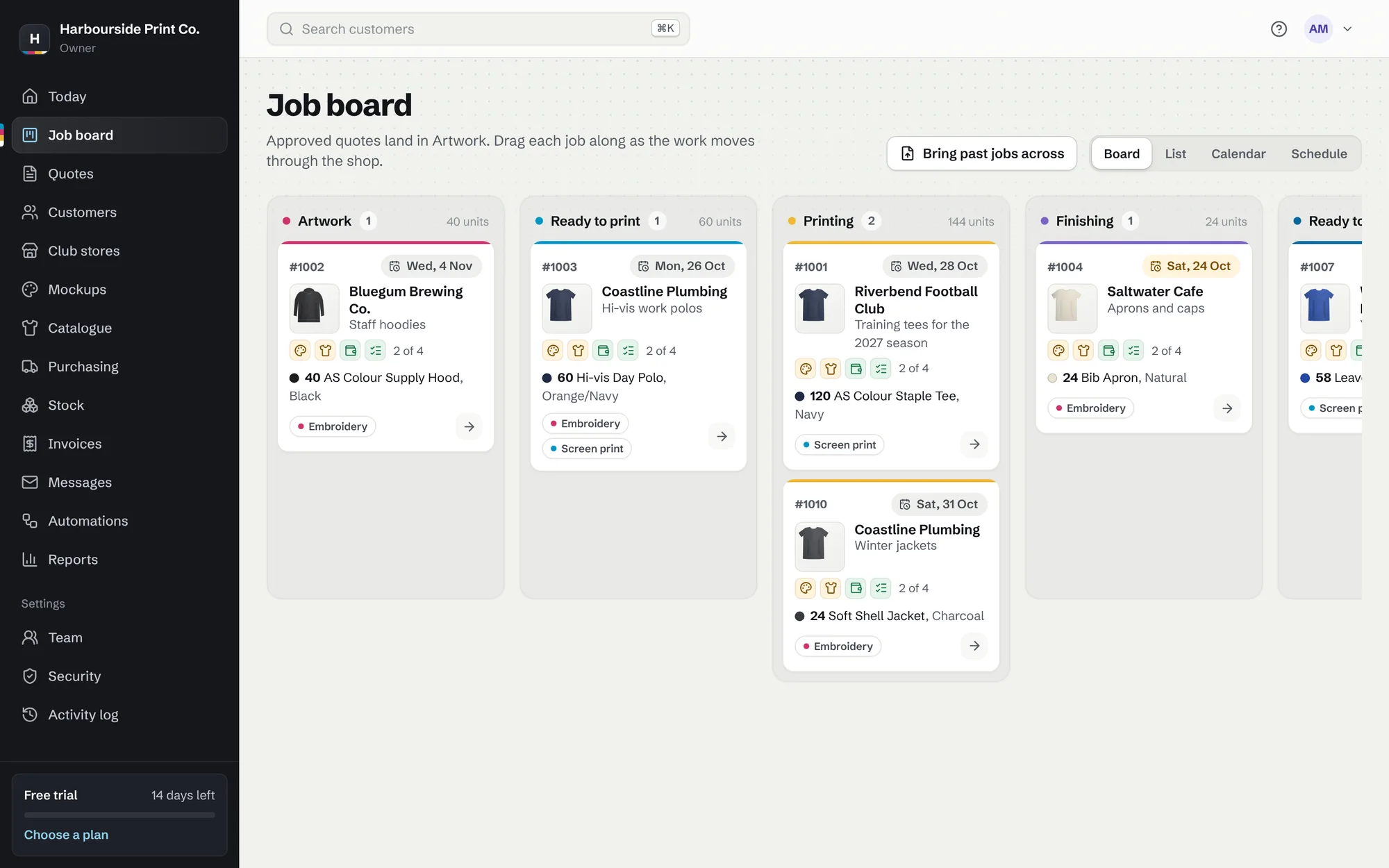
The job board with jobs in each stage
The job board with jobs in each stage. A made-up example shop.
  1. Print the job sheet Open a job and print its job sheet. Names and numbers are listed by size.
  2. Scan it Scan the QR code with any phone camera, sign in once, and tap to move the job on.
  3. Put it on the home screen Add the app to a phone or tablet's home screen, and it opens in its own window.

Who's on each job

A sales rep, designer and printer on every job. About 3 minutes. On Shop and Pro.

  1. Put people on a job On the job, choose the sales rep, designer and printer. Their faces show on the card.
  2. Everyone's own list Today shows Your jobs, and the list filters by person.
  3. Talk on the job Write in Team comments, and type @ to tell someone. It shows on their Today.

Time on jobs

See what each job really took. About 2 minutes. On Shop and Pro.

  1. Start and stop Press Start timer on a job, or on the phone after scanning its sheet. Forgot? Type it in, like 1:30.
  2. See the cost Set an hourly labour rate in Shop details, and the time shows in the job's profit.